Ask for the right things.
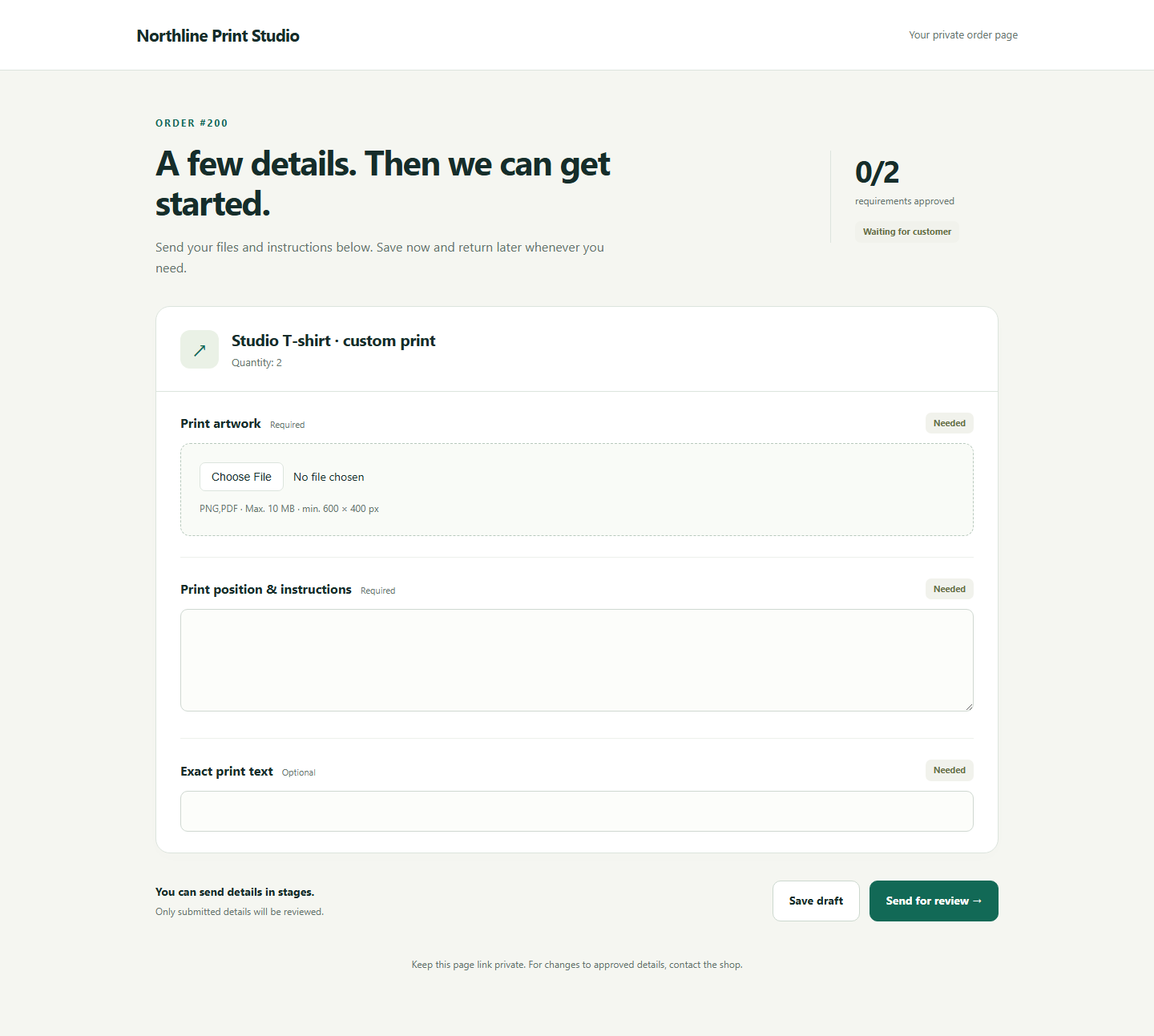
Choose the files, text, selections and confirmations each product needs. New paid orders get their own checklist.
FOR WOOCOMMERCE SHOPS THAT MAKE TO ORDER
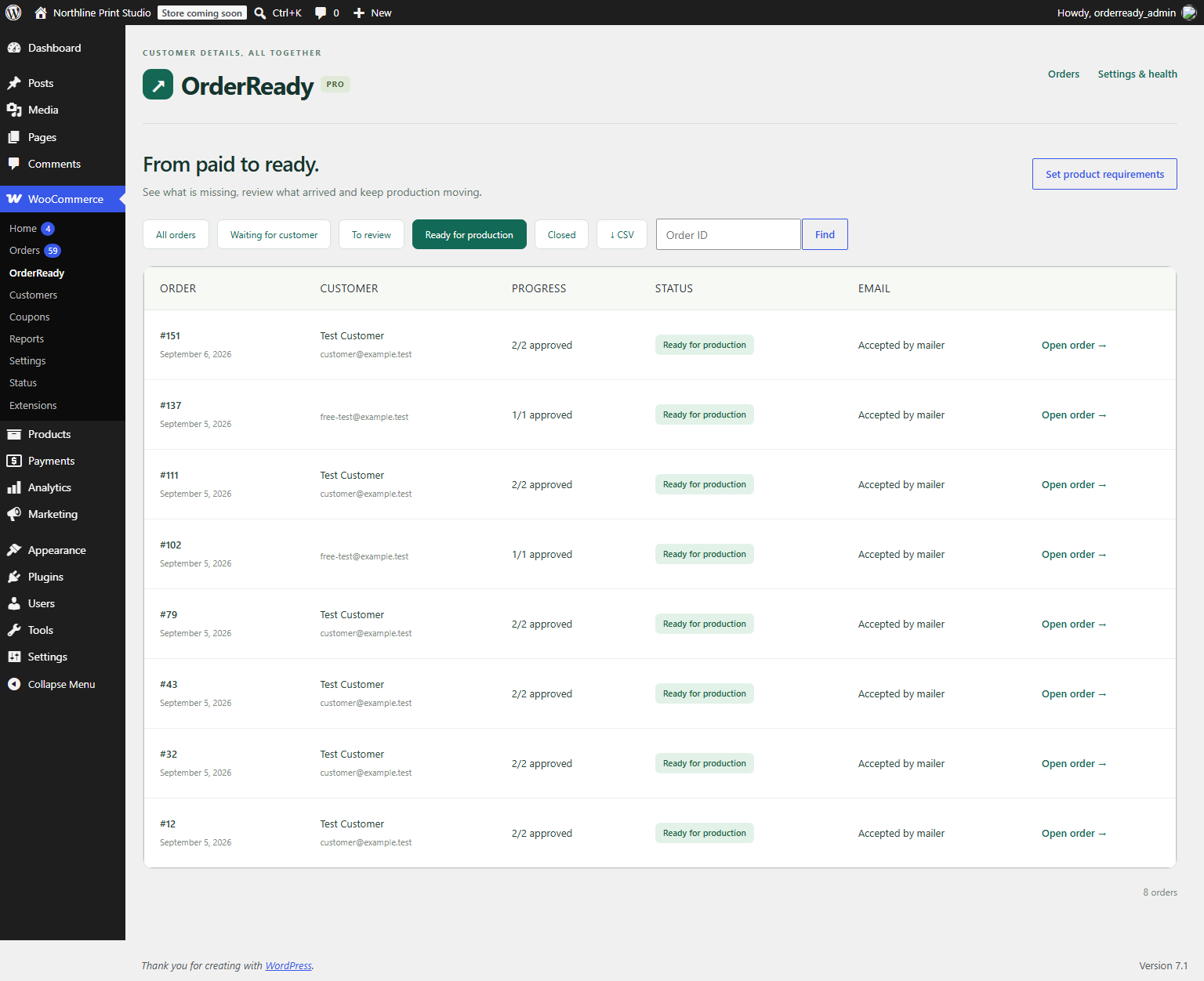
Collect files and instructions after payment. Give every customer a clear checklist, follow up on what is missing and know when an order is ready to make.
A private customer page. No customer account required.
A CALMER WAY TO GET THE DETAILS
One workflow connects the paid order, the customer’s files and your team’s decision.
Choose the files, text, selections and confirmations each product needs. New paid orders get their own checklist.
A private link opens their order page. They can save a draft and submit details in stages, without creating an account.
Approve what is right. Explain what needs changing. Approved details stay in place while the customer corrects the rest.
ORDERREADY PRO
Automatic reminders name only the requirements that still need the customer’s attention. Submitted artwork and approved instructions are left out.
BUILT AROUND REAL HANDOFFS
Product changes apply to future orders. Existing orders retain their original requirements.
Files are encrypted on your hosting. Private links can expire or be replaced. Downloads require authorized access.
Check file type, size and minimum image dimensions. Your team decides whether the artwork is suitable for production.
Turn a short change request into a clearer message. Uses the shop’s own OpenAI API account, with separate usage charges. Off by default.
START WITH A REAL WORKFLOW
The free plugin handles collection and review. Pro adds automatic follow-up and production tools.
OrderReady Free
A working customer checklist for your shop.
OrderReady Pro
One webshop. Updates and support while subscribed.
BEFORE YOU INSTALL
Requirements are collected after payment. Customers receive an invitation while the paid order has Processing status. Nothing is added to your checkout form.
No. File checks validate type, size and configured pixel dimensions. Your team reviews suitability and approves each requirement. AI never makes that decision.
JPG, JPEG, PNG, WebP and PDF. One current file per requirement, with configurable limits up to 20 MB per file and 200 MB per order, subject to your hosting. SVG, AI, EPS and ZIP uploads are not supported.
A single-site WordPress installation with WooCommerce, HTTPS, PHP 8.1+, OpenSSL, Fileinfo and writable uploads. Pro ZIP exports require PHP ZIP. Configure reliable transactional email and a server cron for timely reminders. See the installation guide for the tested versions and limits.
The customer page uses its own layout. The plugin has been tested with WooCommerce’s supported order APIs and local checkout simulations. Every hosting and plugin combination is different; install on a staging copy before using it with live orders.
Files stay encrypted on your own hosting. The optional AI assistant sends only the text staff explicitly enter to OpenAI when they click the AI button. File contents and order records are not automatically attached.
The seller-configured Pro package uses Freemius for licenses and updates. A subscription includes updates and support for one site while active. Cancelling stops renewal; your installed collection workflow keeps working.
GIVE EVERY ORDER A CLEAR NEXT STEP